


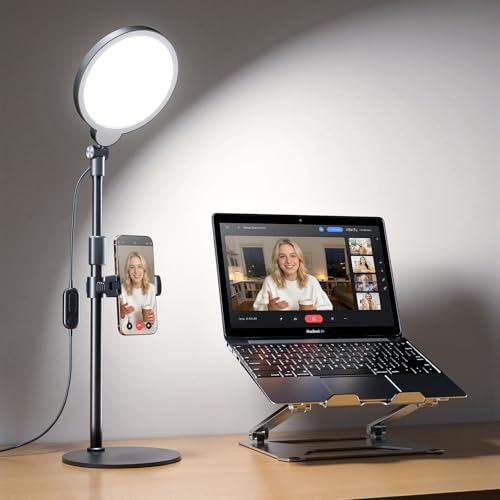
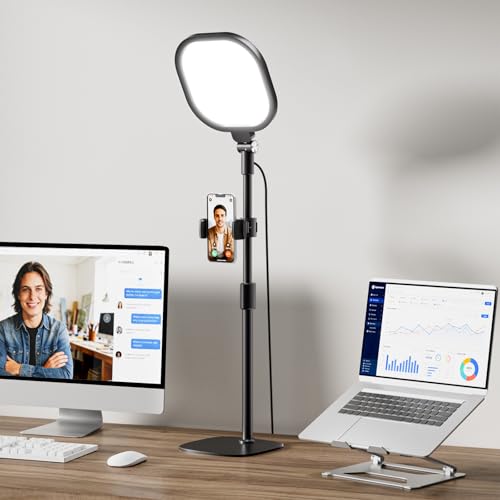
Harsh overhead fixtures and direct screen glare often leave remote workers squinting through afternoon meetings with heavy facial shadows. Direct illumination can wash out natural skin tones on webcams, turning everyday team conferences into an exercise in visual fatigue. Setting up an intentional desk lamp video call setup resolves this imbalance by casting diffused, even light across your face and workspace without overwhelming your eyes. Many home workers combine these versatile desktop fixtures alongside standard study lamps for students to maintain consistent ambient brightness throughout long working sessions.
Based on manufacturer specifications and product designs, modern conference lights blend edge-lit diffusion panels with high Color Rendering Index ratings above 95 CRI to keep skin tones looking natural on screen. Flexible swing arms, heavy anti-scratch bases, and secure C-clamps provide versatile mounting options that keep small workstations free from unwanted clutter. Investing in a dedicated desk illumination unit with stepless dimming and adjustable color temperature between 2700K and 6500K ensures your workspace transitions smoothly from focused daytime video calls to relaxing evening reading.



Frequently Asked Questions About Desk Lighting
What color temperature is ideal for a desk lamp video call setup?
A color temperature between 4000K and 5000K works best for daytime video conferencing. This neutral daylight balance prevents yellow casts under artificial lighting while avoiding the harsh blue tones of higher Kelvin ranges. Many remote workers prefer lamps with adjustable ranges from 2700K to 6500K to match shifting natural light throughout the workday.
Can a standard desk lamp double as a video conference light?
Yes, provided the lamp features an adjustable head and adequate diffusion to prevent glare. Traditional task lamps with bare bulbs or concentrated downlights often create severe eye strain and harsh shadows under the eyes and chin. Fixtures with edge-lit LED panels or wide frosted shades provide the soft, uniform glow required for clear webcam visibility.
Where should you position a lamp for video calls to minimize eye strain?
Place the lamp slightly above eye level directly behind or adjacent to your computer monitor. Positioning the light at roughly a 45-degree angle softens facial contours without shining directly into your pupils. This angle also eliminates distracting reflections on eyeglasses and reduces reflections off computer screens.
Why does a high CRI rating matter for a video conference light?
A high CRI of 95 or above ensures accurate skin tones and true-to-life object colors on camera. Lower color rendering indices can make skin appear pale, washed out, or greenish under digital sensors. Much like using a miniature painting desk lamp for precision hobby work, high-fidelity light beads display genuine depth and clarity on webcam feeds.
Are clamp-on desk lights better than weighted base lamps for video setups?
Clamp-on fixtures save valuable desktop space, while weighted bases offer easier repositioning across different surfaces. A sturdy C-clamp mounts securely to desk edges up to 2.5 inches thick, leaving open room for keyboards and paperwork. Freestanding bases with non-slip foam pads protect desk finishes and allow you to relocate your light without tightening hardware.
How many lumens are needed for a clear webcam picture?
A range between 500 and 1000 lumens is generally sufficient for clear desktop video illumination. Excessively bright lighting causes camera exposure clipping, while under-lit setups introduce digital grain and background noise. Models that offer multi-level dimming let you dial in the exact output needed to balance ambient room light in 2026.


Write Your Review
No reviews yet. Be the first to share your experience!